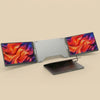
Lumis Duo - One-Cable Dual Monitor
Lumis Duo - One-Cable Dual Monitor
Couldn't load pickup availability
Tech Specs & Compatibility


Your laptop screen is
holding you back.
Two extra screens. One USB-C cable. Set up in under 30 seconds. TrueView 16:10 displays with 11% more vertical workspace than standard monitors.

See every chart.
Miss nothing.
You're watching a BTC chart on one tab. A position moves on Binance in another tab you can't see. By the time you Alt-Tab, the entry is gone.
The Lumis Duo puts your charts, order book, and watchlist side by side. TradingView on the left. Binance in the center. Your crypto watchlist on the right. All visible. All the time. No switching. No missed trades.
Every second you spend switching tabs is a second the market moves without you.

Code. Docs. Terminal.
No more Alt-Tab.
Your editor is on one screen. The documentation you need is buried behind three other windows. Your terminal output scrolled off while you were reading the docs.
VS Code in the center. Docs on the left. Terminal on the right. You see the function signature, the implementation, and the output at the same time. No context switching. No losing your place.

Dashboard. Inbox. Team chat.
One glance.
Your revenue dashboard is in one tab. Inventory alerts in another. Slack is pinging you in a third. You spend half your day switching between them instead of making decisions.
Analytics on the left. Claude in the center. Alibaba on the right. You see the revenue dip, ask Claude for a fix, and check your supplier pricing without losing sight of any of it.
When you can see everything at once, you make faster decisions. Faster decisions compound.

11% more screen.
Zero inflated specs.
Most portable monitors use 16:9 displays at 1920×1080. The Lumis Duo uses 16:10 TrueView displays at 1920×1200. That extra vertical space means more lines of code without scrolling, taller charts with more price history, and bigger dashboards with more visible data.
Up to 100% sRGB color accuracy. IPS panels with 178° viewing angles. 270 to 300 nits brightness. That's the real measured range, not a peak marketing number.

Not all extenders
are equal.
We built the Lumis Duo after seeing the same problems across this entire category. Inflated specs, hidden shipping fees, and returns that never get processed.
| Feature | Lumis Duo | Industry Standard |
|---|---|---|
| Resolution | ✓ FHD+ 1200P · 16:1011% more vertical space | ✗ FHD 1080P · 16:9Standard across most brands |
| Color Accuracy | ✓ Up to 100% sRGB75% NTSC · Verified range | ⚠ Varies widelyAdvertised specs often exceed measured results |
| Brightness | ✓ 270 to 300 nitsPublished as a real measured range | ⚠ Peak numbers onlyListed brightness rarely matches real-world output |
| Windows Setup | ✓ Plug and playAuto-installs when connected to internet | ✗ Software requiredManual driver installation on most brands |
| Shipping | ✓ Free worldwide | ⚠ $15 to $50 added at checkoutVaries by brand and region |
| Returns | ✓ 30-day money-backRefund processed within 5 business days | ✗ 14 to 30 days typicalRefund timelines often unclear or delayed |
| Carry Case | ✓ Included at no extra cost | ✗ Sold separately or not offeredAdds $25 to $45 to total cost |
| Support | ✓ Real people. 24-hour response.Email and direct support on business days | ✗ Automated replies commonResponse times range from days to weeks |
| Spec Transparency | ✓ Verified measured rangesWe publish min and max, not just peaks | ✗ Inconsistent across channelsSpecs may differ between website and marketplace |
*Based on publicly available specifications, third-party reviews, and common patterns observed across the portable monitor extender category.
Unfold.
Plug in.
Done.
One USB-C cable. That's it. The Lumis Duo connects to your laptop and both screens light up instantly. No external power supply. No adapter hunting.
Works with USB-C laptops straight out of the box. The included Dual USB-A cable covers older laptops too. On Windows, drivers install automatically when connected to the internet. On macOS, a quick one-time install from the included USB drive (about 2 minutes). After that, it's plug-and-play every time.

Mac. Windows.
Even the base-model MacBooks.
Standard portable monitors can't run dual screens on base-model MacBooks. The Lumis Duo can. It bypasses Apple's single-display limitation on M1, M2, M3, and M4 chips. Both screens work through one cable.
Fits laptops from 12" to 18.5" diagonal, up to 8mm lid thickness. The expandable frame clamps securely without wobbling. The integrated support stand takes weight off your laptop hinge.

1.43 kg. 2.82 cm folded.
Fits in your laptop bag.
The Lumis Duo folds flat and slides into the included carry case. No separate stands to pack. No extra cables to hunt for. Everything you need is one piece that weighs less than most textbooks.

Six ways to work.
One device.
The 360° hinge doesn't just tilt. It transforms how you use the screens entirely.

Panoramic Workspace
Unfold both screens for the full triple-display experience. Three monitors, one seamless workspace, zero tab switching.

Portrait Mode
Rotate vertical. See 80+ lines of code, full-length documents, or entire spreadsheets without scrolling.

Meeting Mode
Fold into a triangle. Two people, two screens, one table. Share your work face to face.

180° Flip
Flip a screen to face the other side of the table. Show your work to a colleague or client while you keep typing on the main display.

Built-in Kickstand
Unfold the integrated kickstand and your screens stand on their own. Stable, secure, no extra accessories required.

Standalone Monitor
Detach from your laptop completely. Use one or both panels as independent external displays wherever you need them.
Your triple-screen setup
fits in your laptop bag.
Fold it flat. Slide it into the included carry case. Your entire workstation goes wherever you go. Airport lounge, hotel room, coffee shop, client office.
No separate monitors to pack. No stands or cables to hunt for. One product, one case, one bag. The carry case protects the screens without adding bulk.

Everything you need.
Nothing you don't.
Ready to use out of the box. No extra purchases required.
No hidden costs. No "$45 carry case sold separately" like some other brands.

Two sizes.
Same TrueView quality.
The 14" is built for maximum portability. The 16" is built for maximum workspace.
14" Dual Screen
Maximum Portability
16" Dual Screen
Maximum Workspace
Questions? Answers.
Verified Specs
What we list is what you get
30-Day Returns
Refund in 5 business days
Real Support
24-hour human response
1-Year Warranty
Manufacturing defects covered